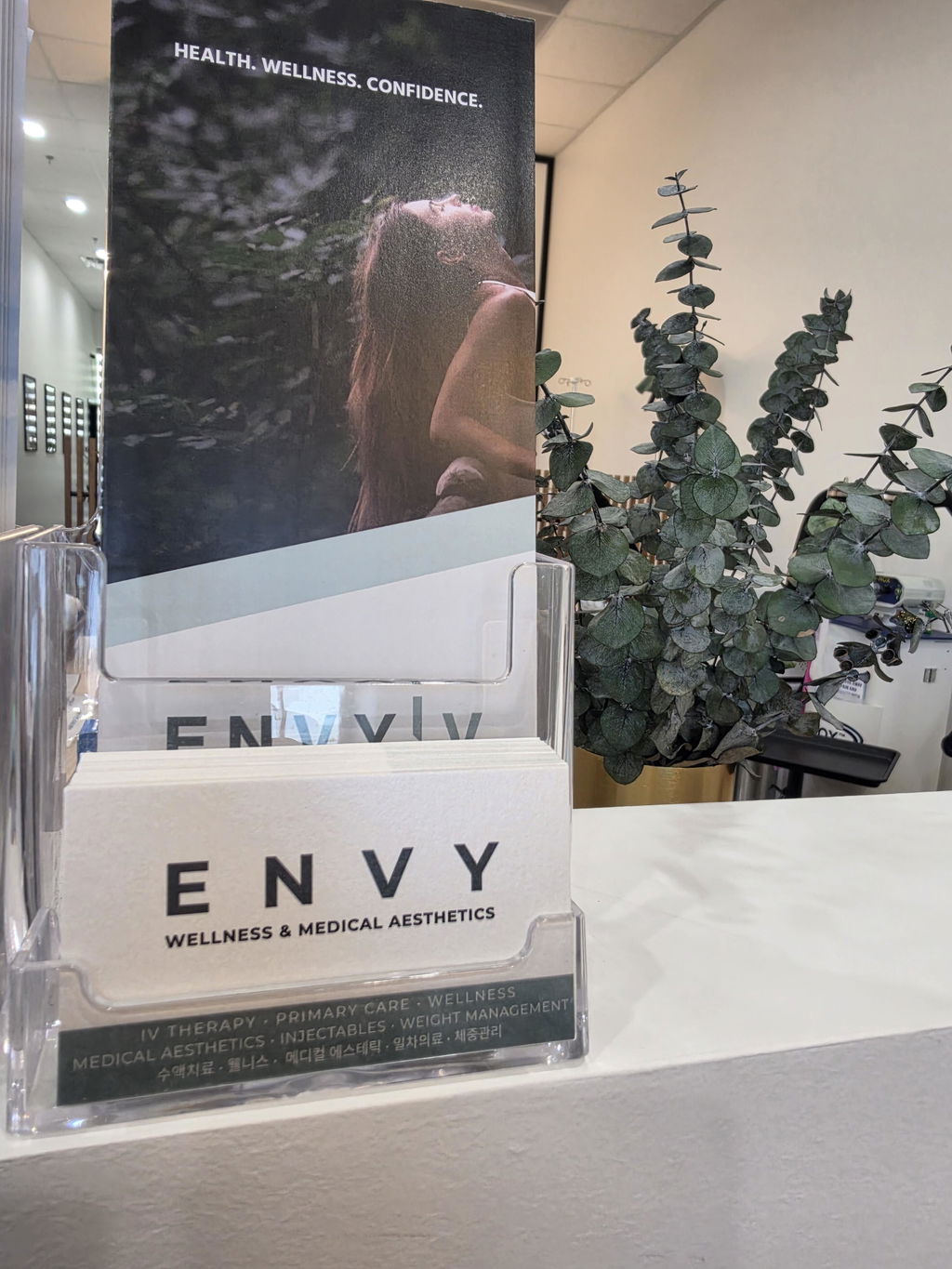
Stardream Metallic Business Cards
Pearl Shimmer in Opal White
Create truly premium business cards on Stardream, the name that defines metallic paper. A refined metallic coating gives every card a soft, multi-toned pearl shimmer that shifts with the light, adding depth and elegance your clients notice the moment they hold your card. This product is printed on Stardream Opal, the classic silvery-white pearl, with silver and gold sold as separate products. Both sides print in full color, the minimum is 100 cards, and production takes 2 business days with no rush fee.

Why Choose Metallic Business Cards?
The flagship of our metallic paper business card range.
The Benchmark of Metallic Paper
Luxury Business Cards That Need Almost No Design
Also Available in Silver and Gold
Pearl Shimmer, Not Printed Silver Ink
Stardream Business Card Prices, 10pt and 16pt
Full-color printing on both sides is included in every order, at no extra charge. Choose square or rounded corners at checkout.
| Quantity | Square Corners | Per Card | Rounded Corners | Per Card |
|---|---|---|---|---|
| 100 | $13.99 | $0.14 | $18.99 | $0.19 |
| 200 | $15.99 | $0.08 | $20.99 | $0.10 |
| 400 | $22.99 | $0.06 | $27.99 | $0.07 |
| 600 | $29.99 | $0.05 | $39.99 | $0.07 |
| 800 | $38.99 | $0.05 | $48.99 | $0.06 |
| 1,000 Popular | $49.99 | $0.05 | $59.99 | $0.06 |
| Quantity | Square Corners | Per Card | Rounded Corners | Per Card |
|---|---|---|---|---|
| 100 | $16.99 | $0.17 | $21.99 | $0.22 |
| 200 | $20.99 | $0.10 | $25.99 | $0.13 |
| 400 | $36.99 | $0.09 | $41.99 | $0.10 |
| 600 | $49.99 | $0.08 | $54.99 | $0.09 |
| 800 | $63.99 | $0.08 | $68.99 | $0.09 |
| 1,000 Popular | $75.99 | $0.08 | $80.99 | $0.08 |
Real metallic pearl paper, both sides in full color, from 100 cards, because we cut cost out of the process instead of the product.
- Minimum order is 100 cards, both sides in full color, produced within 2 business days. There is no single-sided discount, so use the back.
- 10pt is the everyday premium choice; 16pt is noticeably thicker and makes a stronger impression in hand.
- Square corners suit premium stock best. Rounded corners are available at a 0.15" radius for the price shown above.
- Want a different tone? See Stardream Silver and Stardream Gold, or a textured paper instead: Nouveau, linen cover, kraft.
Stardream Pearl Paper and How It Catches Light
A subtle metallic glow that changes with every angle.
Stardream paper carries a distinctive metallic coating on its surface. Depending on the angle and the lighting, the pearl shimmer sparkles in different tones, elegant and understated rather than flashy, with a three-dimensional glow.
- Soft, multi-toned shimmer. The pearl finish catches the light differently from every angle.
- Smooth, even surface. No rough embossed pattern, just a fine, silky finish.
- Premium feel in hand. The smooth surface delivers the satisfying grip of a high-end paper.
- Rich, dense pearl. Higher pearl density and depth than ordinary pearl papers, for a refined, never-flat look.
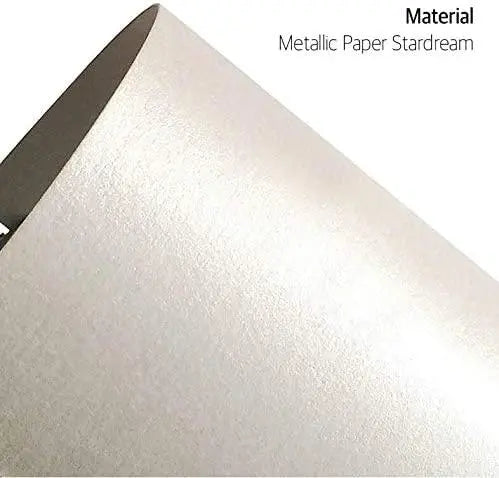
Designing for Pearlescent Paper
Let the shimmer do the work.
- Leave some paper bare. Ink covers the metallic coating, so a design with open space lets the pearl shimmer actually show.
- Avoid full-bleed solid backgrounds. A flood of dark ink hides the one thing you are paying for.
- Metallic and white do not print. There is no white ink and no metallic ink: anything "white" in your file prints as bare paper, which on Stardream means shimmering pearl.
- Choose square corners. Rounded corners are available, but sharp square edges suit premium metallic stock best.
Stardream Business Card File Setup Guide
Submit print-ready files for fast, accurate production.
| Trim Size | 3.5" × 2" (standard US business card) |
| Bleed | 0.075" on every side, tighter than the usual 1/8" |
| Document Size with Bleed | 3.65" × 2.15" |
| Safe Area | 0.075" inside the trim line on every side, so 3.35" × 1.85" |
| Paper Stock | 10pt Stardream Opal (240gsm) or 16pt Heavy Stardream Opal (360gsm), genuine stock |
| Printing | Full color, one side or both sides at the same price |
| Corner Options | Square, or rounded at a 0.15" corner radius |
| Coating | None. Premium paper business cards are intentionally left uncoated |
| Color Mode | CMYK only |
| Resolution | 300 DPI or higher |
| Fonts | All fonts must be outlined before saving (including PDFs) |
| Effects & Transparency | All transparency, shadows, and effects must be rasterized |
| Accepted Formats | PDF, JPG, PNG, Adobe Illustrator (AI) |
| Minimum Order | 100 business cards |
| Production Time | 2 business days |
How to Order Stardream Business Cards
From upload to delivery in 4 simple steps.
Metallic and Pearl Business Card FAQ
The pearl coating, the two thicknesses, and why there is no metallic ink.
What is Stardream paper?
Stardream is the most recognized metallic pearl paper. A fine metallic coating over a smooth base gives it a soft, multi-toned shimmer that shifts with the angle and the light.
This product uses Stardream Opal, the classic silvery-white pearl. Silver and gold are sold as separate products.
Should I choose 10pt or 16pt Stardream?
10pt Stardream (240gsm) is a refined, everyday premium card and the most popular choice. 16pt Heavy Stardream (360gsm) is made by laminating 120gsm and 240gsm sheets together and feels noticeably more substantial.
Pick 10pt unless the thickness itself is part of the message. The 16pt laminated build is the heaviest card in our premium range.
Can you print metallic gold or silver ink?
No. There is no metallic ink and no white ink on our presses. The shimmer comes from the paper itself.
That means anything left white in your file prints as bare Stardream, which is the shimmering pearl surface. Designers often use that deliberately: set your logo as "white" and it comes out as pearl.
How long does it take to print my business cards?
2 business days. Production starts once we have a print-ready file, and transit time is additional. Business cards are not part of our same-day lineup, which covers flyers only.
Are these cards coated or laminated?
No. Premium paper business cards are intentionally left uncoated. A coating would seal the surface and flatten exactly the texture you are paying for.
If you want a glossy coated surface instead, see our 16pt premium glossy business cards.
What if my cards arrive damaged?
Take a photo and send it to us through web chat, and we will reprint and reship your order as quickly as possible.
Design Templates That Make Every File Print-Ready
Download free design templates for all RedPrinting products. Each template includes the correct trim size, bleed, and safe margin, so your artwork prints exactly the way you designed it.
Sticker Templates
Individually cut stickers in every shape and size, plus multi-design sticker sheets.
Business Card Templates
Standard, mini, and square formats for every card design.
Flyer & Poster Templates
From handout flyers to large-format posters, print-ready at every size.
How to Use a Template
Four steps from download to a print-ready file.
Artwork Guidelines That Get
Every File Print-Ready
Every file submitted to RedPrinting is reviewed by a real person before it goes to press. This guide walks you through file formats, resolution, bleed, and cut lines, so your stickers, labels, and cards come out exactly the way you designed them.
We Print the File You Send
Design services are not offered. We print your artwork as supplied, optimized for press.
We print the file you upload. We don't redesign artwork, edit your text, or build print files from scratch, which is part of how we keep prices low and turnaround fast. What we do is prepare your file for the press: we check the size, bleed, and resolution, and make the technical adjustments needed for a clean print.
If a file cannot be printed as it is, we contact you by text, email, or both and ask for a corrected file. If we don't receive a print-ready file within 3 business days, we cancel the order and issue a full refund.
The Three Lines on Every Template
Understand these and your file will cut clean every time.

Accepted File Formats
Vector files give the sharpest results, but we accept high-resolution raster files too.
| Format | Type | Best For | Recommended |
|---|---|---|---|
| AI | Vector | Logos, text, line art, custom shapes | Best |
| Vector | Print-ready files with fonts outlined | Best | |
| EPS | Vector | Legacy vector artwork | Best |
| PSD | Raster | Layered photo-based designs | Good |
| PNG | Raster | Designs needing a transparent background | Good |
| JPG | Raster | Photographs and full-color images | Good |
| TIFF | Raster | High-quality scanned or photo artwork | Good |

- Outline your fonts: Convert all text to outlines or curves so typefaces render correctly on our end.
- Use CMYK color mode: Printing is a CMYK process. RGB files are converted automatically, and bright neon or vivid blues may shift slightly.
- Flatten transparency: Complex transparency and drop shadows can behave unpredictably; flatten them before exporting.
- Embed or attach linked images: Missing links are the most common reason a file gets sent back.
Image Resolution
300 DPI at final print size is the target.
Resolution is measured at the size the artwork will actually be printed. A 300 DPI image looks crisp on a 2-inch sticker but turns soft when stretched across a 24-inch poster. Always check the pixel dimensions against the finished size, not against how the file looks on screen.
Web images pulled from a website or social media are usually 72 DPI, which is roughly a quarter of the detail we need. Enlarging a low-resolution file doesn't add detail back. It only makes the softness more visible.
Low-resolution artwork? If your piece still reads clearly in print, we print it. If the text would be unreadable, we contact you and ask for a higher-resolution file.

Choosing Your Material
Where the sticker will live decides which stock to use.
- Waterproof and tear-resistant
- Resists fading from sun and weather
- Holds up on bottles, laptops, and cars
- Higher cost per sticker
- Thin, smooth, and easy to write on
- Noticeably lower cost per sticker
- Ideal for packaging, boxes, and mailers
- Not water- or weather-resistant
Clear stickers are printed on transparent vinyl, so the surface underneath becomes part of the design. They're waterproof, tear-resistant, and work beautifully on glass bottles, cups, laptops, and windows where a white sticker edge would look out of place.
Because there's no white backing, light colors and white ink behave differently than they do on paper. Designs with bold shapes, dark colors, or deliberate negative space tend to read best.
Setting Up Sticker Sheets
Multiple designs and sizes on a single sheet.
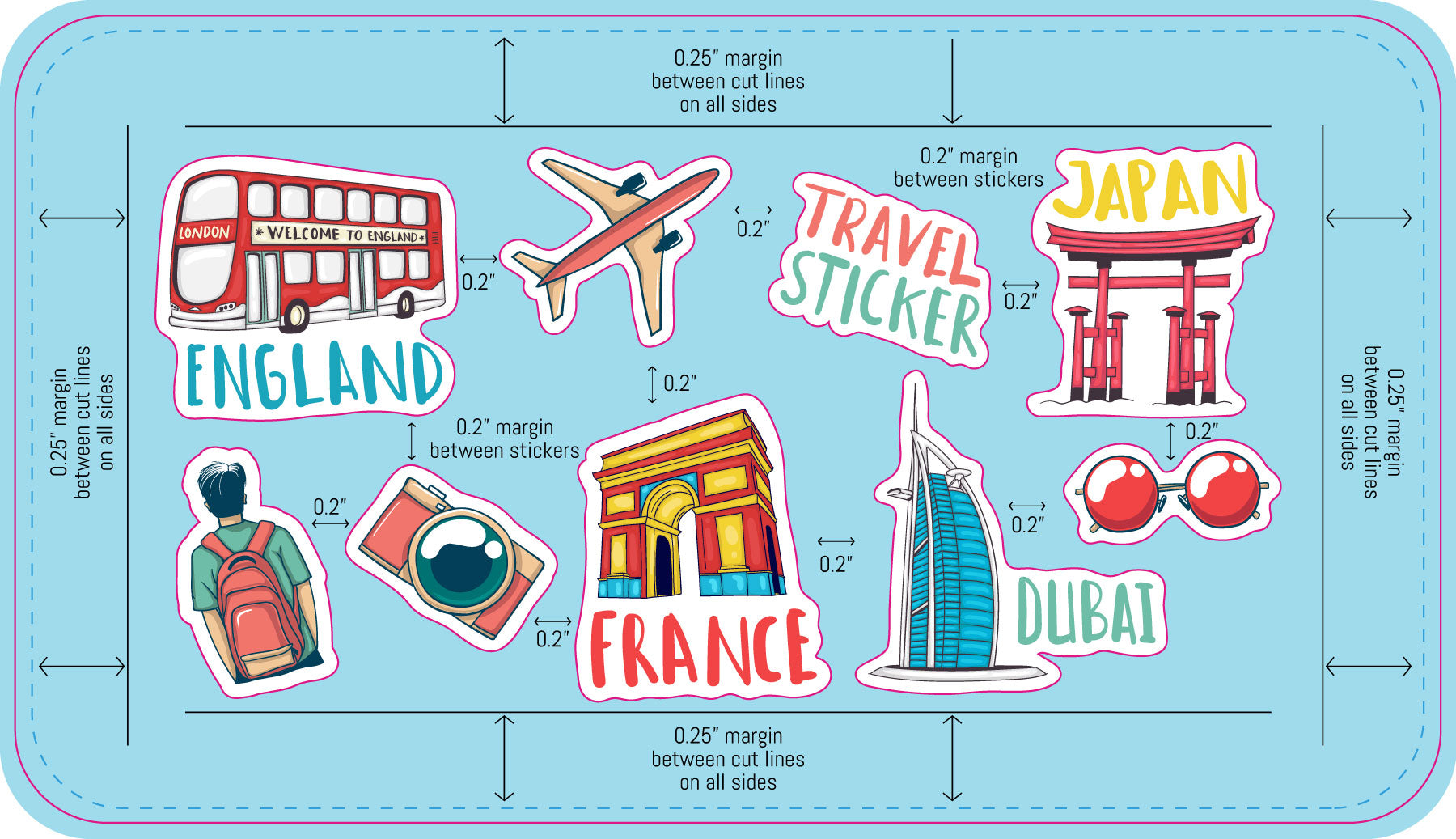
Sticker sheets let you print several different designs together on one backing sheet. Our sheet templates come pre-populated with placeholder artwork that you replace with your own files.
Common Mistakes to Avoid
The issues that most often send a file back for revision.
- No bleed on the background: Artwork that stops at the die line leaves white edges when the cut shifts. Extend it 0.075 inch past the finished edge, or 1/8 inch for large-format products.
- Text too close to the edge: Anything outside the safe area can be trimmed off. Pull text and logos at least 0.075 inch inside the die line, or 1/8 inch for large-format products.
- Low-resolution images: Artwork saved from a website prints soft and pixelated. Work from the original high-resolution file whenever possible.
- Live fonts not outlined: Fonts we don't have installed get substituted. Convert all type to outlines before exporting.
- RGB color mode: Vivid RGB colors can't always be matched in CMYK. Design in CMYK to see accurate colors from the start.
- Die line left in the artwork: The cut line is a guide, not a design element. Remove it or keep it on its own separate layer.
- Wrong template size: Make sure the template you downloaded matches the size you actually ordered.
From File to Finished Print
What happens after you place your order.