


🚚 Limited-Time Offer (Through Sep 30, 2026):
Enjoy FREE SHIPPING on all Flyers, Business Cards & Stickers—no minimum required!
Custom Paper Placemats
That Brand Every Table
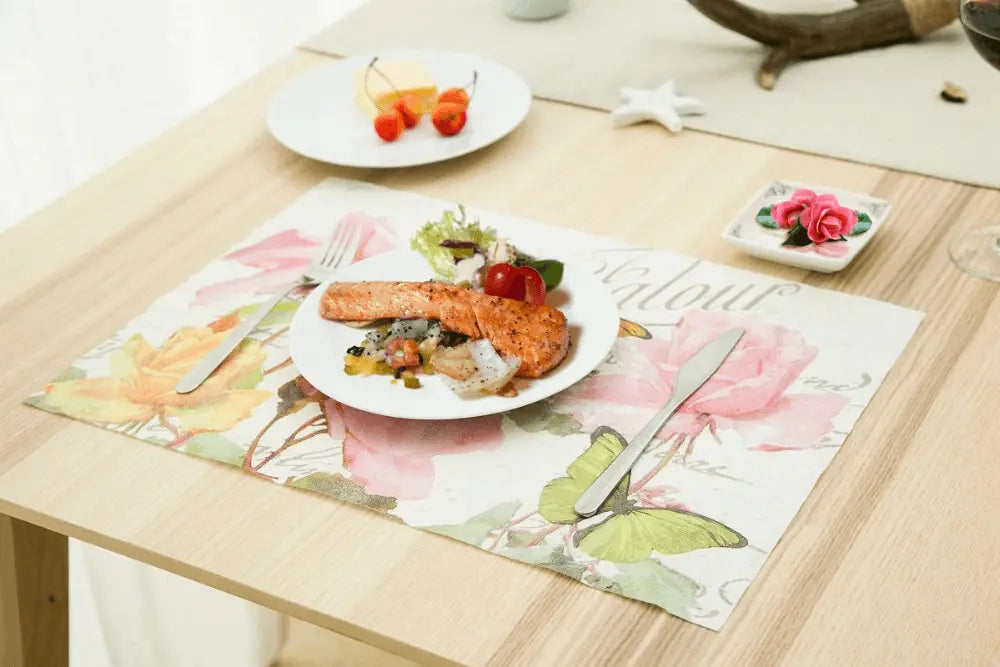
Every table setting is a chance to advertise. Our full-color paper placemats put your logo, menu highlights, promotions, and QR codes right in front of every guest — for less than three cents apiece. Printed edge to edge on 80gsm premium matte paper, they keep tables clean, speed up turnover, and make your restaurant look sharp from the moment guests sit down.
Why Choose Our Paper Placemats?
Check the price on anything you reorder. Less than half the U.S. average, top quality standard.
Pricing
Full-color printing on 80gsm premium matte paper, up to 10" × 14.5".
| Quantity | Price | Per Placemat | Designs |
|---|---|---|---|
| 8,000 | $249 | $0.031 | 1 |
| 16,000 | $470 | $0.029 | 2 |
| 24,000 | $690 | $0.029 | 3 |
| 30,000 | $850 | $0.028 | 3 |
| 40,000 PopularFree Delivery | $990 | $0.025 | 5 |
| 60,000 Free Delivery | $1,480 | $0.025 | 7 |
| 80,000 Free Delivery | $1,900 | $0.024 | 10 |
| 100,000 Free Delivery | $2,390 | $0.024 | 12 |
The Designs column shows how many 8,000-piece design blocks each quantity covers — running multiple designs costs nothing extra.
Prices exclude design, tax, and shipping fees. Free delivery applies to orders of 40,000+ placemats within the Greater Los Angeles area.
Pricing is confirmed upon receipt of finished, print-ready design files (PDF). Please call us before ordering placemats.
One Order, Multiple Designs
Every 8,000 placemats can be a completely different design — at no extra cost.
Most printers charge a new setup fee for every artwork change. We don't. Your order is produced in 8,000-piece blocks, and each block can carry its own design. The math is simple: every 8,000 placemats in your order is one more design you can run, and the price stays the same as a single-design order of that quantity.
Delivery & Lead Time
Printed in Korea, shipped by sea, delivered by us.
How It Works
From first call to delivered pallet in 4 steps.
Specifications
Custom full-color paper placemats.
| Material | Premium Matte Paper |
|---|---|
| Weight | 80gsm |
| Max Size | 10" × 14.5" |
| Printing | Full color, single-sided, edge to edge |
| Minimum Order | 8,000 placemats |
| Design Blocks | One design per 8,000 placemats — 32,000 = 4 designs, 80,000 = 10 designs, at no additional cost |
| Artwork Format | Print-ready PDF |
| Production & Shipping | Approximately 30–40 days from order (about 4 business days printing + 25 days ocean transit) |
| Delivery Area | Greater Los Angeles — Orange County to Northridge & the Valley |
| Free Delivery | Orders of 40,000+ placemats within the delivery area |
| Not Included | Design service, tax, and shipping fees |
Perfect For
Any business that seats guests at a table.
At a Glance
Everything you need to know.
- Premium Matte Paper, 80gsm – Lies flat, resists curl, and holds ink without glare
- Full-Color Edge-to-Edge Printing – Up to 10" × 14.5", logos and QR codes reproduce sharply
- From $0.024 Per Placemat – Starting at 8,000 pieces, down to under 2.5¢ at volume
- A New Design Every 8,000 Placemats – 32,000 = 4 designs, 80,000 = 10, at no extra charge
- Free Greater LA Delivery on 40,000+ – Orange County to Northridge and the Valley
- Printed in Korea, Shipped by RedPrinting – Direct sea freight, no importer markup
- Approximately 30–40 Day Lead Time – Weekly sailings from Korea; reorder about a month ahead
- Lowest Price Guaranteed, 365 Days a Year – Not a promotion, just how we price
Frequently Asked Questions
Straight answers about our paper, our press, and how your order gets here.
1Custom paper placemats are so cheap — does that mean the quality is low?
No. Our paper placemats are printed in South Korea, where printing technology is highly advanced and production costs are genuinely lower than in the U.S. That gap is the reason for our pricing — not a compromise in materials or process.
We print on a 10-color offset press, a machine so specialized that only a handful exist anywhere in the world, using eco-friendly printing inks that are well suited to paper products handled around food. We're confident the result is dramatically better than what you'd get printing the same job domestically.
2What kind of paper do you use for custom placemats?
We use 80gsm premium matte paper — genuine uncoated matte stock produced in Korea by Hankuk Paper or Moorim Paper, two of the country's established mills.
Both the paper and the printing are Korean-made from start to finish, so we know exactly what stock every order runs on.
3How good is the color reproduction on matte placemats?
Excellent. That said, we'll be straight with you about one characteristic: matte paper is uncoated, so it absorbs ink slightly and colors read a touch softer than they would on coated stock. For most restaurant designs — logos, menu layouts, brand colors — this reads as warm and refined rather than dull.
If you want maximum vibrancy, we're launching coated snow paper placemats soon, which deliver noticeably punchier color saturation. Call us if you'd like to be notified when they're available.
4Why 8,000 placemats per design instead of 5,000 or 10,000?
It comes from how offset printing actually works. The base unit in printing is a ream of 500 parent sheets. Each parent sheet is trimmed into 8 pieces, and that division is exactly what produces the 10" × 14.5" placemat size — so one ream yields 4,000 placemats.
We run production in 2R (two-ream) units, which comes out to 8,000 placemats. That's the natural press unit, so 8,000 is the smallest quantity we can switch artwork on without adding cost. Rounder-sounding numbers like 5,000 or 10,000 would actually mean wasted paper and a higher price.
5How long does delivery take?
Plan on 30 to 40 days from order to delivery. Printing takes about 4 business days, and ocean transit runs roughly 25 days.
After printing in Korea, your order ships by sea container through our affiliated logistics company, which runs weekly sailings from Korea to the U.S. Occasionally customs clearance can add a few days, so we recommend reordering about a month before your current stock runs out.
6Can you deliver outside the Los Angeles area?
Yes, though the terms differ. Within our local delivery zone — the greater LA area, extending south to Orange County and north through Northridge and the Valley — orders of 40,000 placemats or more ship free.
For addresses outside that zone, we arrange freight through carriers such as Uber Freight. Shipping costs for out-of-area deliveries are paid by the buyer. Call us with your ZIP code and we'll quote it before you order.
Call us before placing your placemat order and we'll confirm sizing, design blocks, and your delivery window.
Design Templates That Make
Every File Print-Ready
Download free design templates for all RedPrinting products. Each template includes the correct trim size, bleed, and safe margin, so your artwork prints exactly the way you designed it.
Sticker Templates
Individually cut stickers in every shape and size, plus multi-design sticker sheets.
Business Card Templates
Standard, mini, and square formats for every card design.
Artwork Guidelines That Get
Every File Print-Ready
Every file submitted to RedPrinting is reviewed by a real person before it goes to press. This guide walks you through file formats, resolution, bleed, and cut lines — so your stickers, labels, and cards come out exactly the way you designed them.
Not a Designer? We'll Handle It
Free artwork setup is included with every order.
You don't need design software or print experience to order from us. Send us your image in any common format and our in-house design team will build the print file for you — adding bleed, positioning the cut line, and adjusting the resolution at no extra charge.
If your artwork needs a change we can't make on our own, we'll email you before printing. Nothing goes to press without your approval.
The Three Lines on Every Template
Understand these and your file will cut clean every time.

Accepted File Formats
Vector files give the sharpest results, but we accept high-resolution raster files too.
| Format | Type | Best For | Recommended |
|---|---|---|---|
| AI | Vector | Logos, text, line art, custom shapes | Best |
| Vector | Print-ready files with fonts outlined | Best | |
| EPS | Vector | Legacy vector artwork | Best |
| PSD | Raster | Layered photo-based designs | Good |
| PNG | Raster | Designs needing a transparent background | Good |
| JPG | Raster | Photographs and full-color images | Good |
| TIFF | Raster | High-quality scanned or photo artwork | Good |

- Outline your fonts – Convert all text to outlines or curves so typefaces render correctly on our end.
- Use CMYK color mode – Printing is a CMYK process. RGB files are converted automatically, and bright neon or vivid blues may shift slightly.
- Flatten transparency – Complex transparency and drop shadows can behave unpredictably; flatten them before exporting.
- Embed or attach linked images – Missing links are the most common reason a file gets sent back.
Image Resolution
300 DPI at final print size is the target.
Resolution is measured at the size the artwork will actually be printed. A 300 DPI image looks crisp on a 2-inch sticker but turns soft when stretched across a 24-inch poster. Always check the pixel dimensions against the finished size, not against how the file looks on screen.
Web images pulled from a website or social media are usually 72 DPI, which is roughly a quarter of the detail we need. Enlarging a low-resolution file doesn't add detail back — it only makes the softness more visible.
Low-quality artwork? Send it anyway. Our designers will do everything possible to bring it up to print standard, and we'll tell you honestly if a file won't hold up.

Choosing Your Material
Where the sticker will live decides which stock to use.
- Waterproof and tear-resistant
- Resists fading from sun and weather
- Holds up on bottles, laptops, and cars
- Higher cost per sticker
- Thin, smooth, and easy to write on
- Noticeably lower cost per sticker
- Ideal for packaging, boxes, and mailers
- Not water- or weather-resistant
Clear stickers are printed on transparent vinyl, so the surface underneath becomes part of the design. They're waterproof, tear-resistant, and work beautifully on glass bottles, cups, laptops, and windows where a white sticker edge would look out of place.
Because there's no white backing, light colors and white ink behave differently than they do on paper. Designs with bold shapes, dark colors, or deliberate negative space tend to read best.
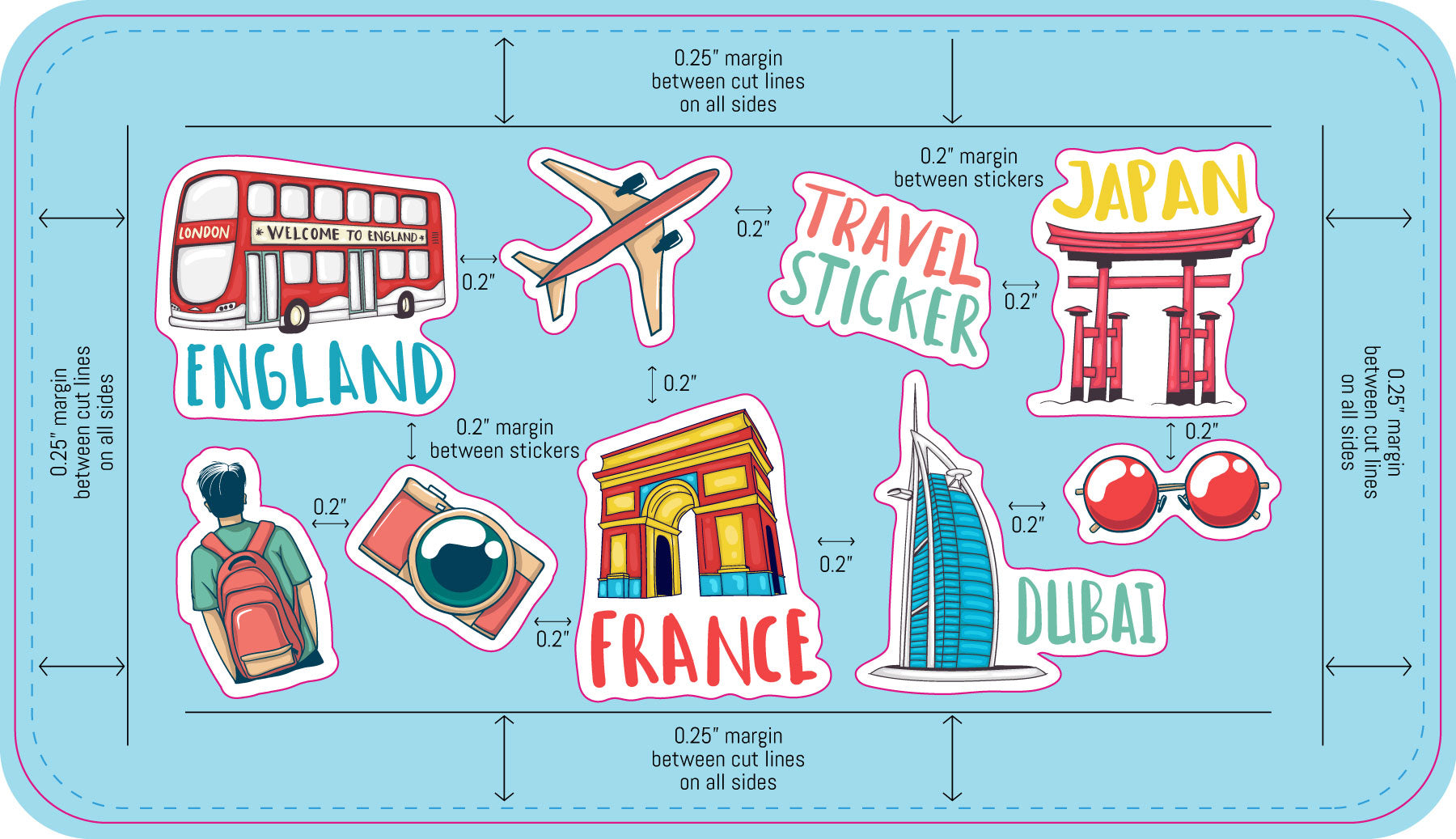
Setting Up Sticker Sheets
Multiple designs and sizes on a single sheet.
Sticker sheets let you print several different designs together on one backing sheet. Our sheet templates come pre-populated with placeholder artwork that you replace with your own files.
Common Mistakes to Avoid
The issues that most often send a file back for revision.
- No bleed on the background – Artwork that stops at the die line leaves white edges when the cut shifts. Extend it a full 0.075 inch past the finished edge.
- Text too close to the edge – Anything outside the safe area can be trimmed off. Pull text and logos at least 0.075 inch inside the die line.
- Low-resolution images – Artwork saved from a website prints soft and pixelated. Work from the original high-resolution file whenever possible.
- Live fonts not outlined – Fonts we don't have installed get substituted. Convert all type to outlines before exporting.
- RGB color mode – Vivid RGB colors can't always be matched in CMYK. Design in CMYK to see accurate colors from the start.
- Die line left in the artwork – The cut line is a guide, not a design element. Remove it or keep it on its own separate layer.
- Wrong template size – Make sure the template you downloaded matches the size you actually ordered.
From File to Finished Print
What happens after you place your order.