


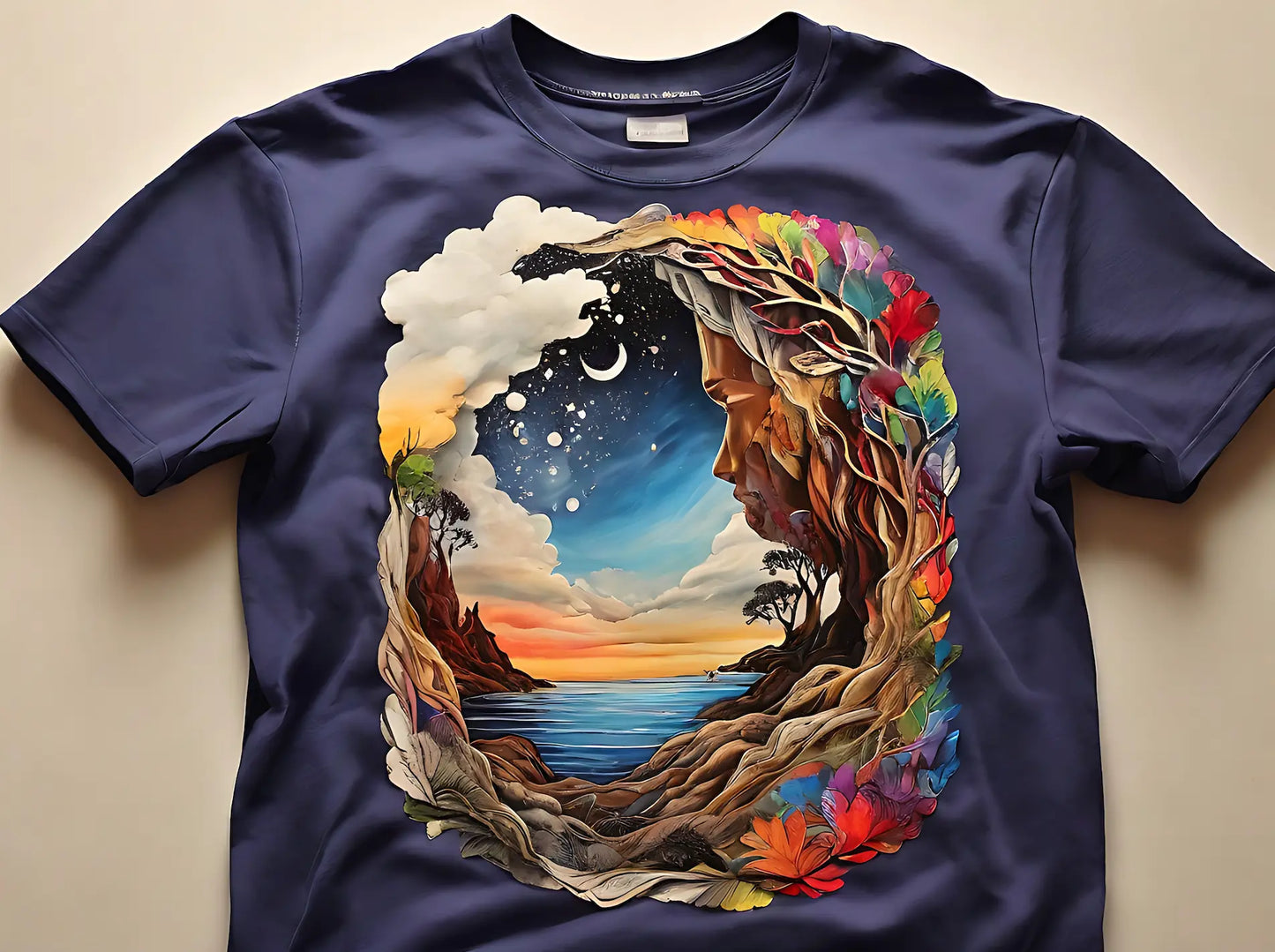
Custom DTF Transfers by Size
Discover Epson G6070 DTF printing at RedPrinting.
“Save More with Our DTF Transfers – Cheaper Than Printing Yourself!”
“High-Volume Production = Lowest Price DTF Transfer in the U.S.”
Looking for professional-quality custom DTF transfers without order limits?
Now you can order exactly what you need — in any size and any quantity. You can order custom DTF transfers in your preferred size. For example, order twelve 3" x 3" prints, ten 7" x 7" logos, or any combination that fits your project.
Prices start as low as $0.06 per piece, with no minimum order requirement. This makes it the perfect solution for small businesses, apparel brands, Etsy sellers, and DIY creators who only need a small quantity of transfers.
Our custom DTF transfers deliver vibrant color, sharp detail, and excellent durability on cotton, polyester, blends, and more. Ideal for t-shirts, hoodies, tote bags, uniforms, and custom apparel projects.
Whether you need one piece or hundreds, you only pay for what you order — no wasted film, no unnecessary bulk.
Gang Sheet vs. Size Orders (Custom DTF Transfers)
| Gang Sheet | Size |
|---|---|
| Print multiple designs together on one sheet (minimum 24" × 36"). | Best for ordering a small quantity of a single design. |
| Minimum order size is 24" × 36". | Order any size and quantity you need. |
| Lower cost per area when ordering 24" × 36" or larger. | Lower unit cost when ordering in small quantities. |
Custom DTF Transfers by Size — $0.015 per sq in
| Size | Price (USD) | Size | Price (USD) |
|---|---|---|---|
| 2" × 2" | $0.06 | 9" × 9" | $1.22 |
| 3" × 3" | $0.14 | 10" × 10" | $1.50 |
| 4" × 4" | $0.24 | 11" × 11" | $1.82 |
| 5" × 5" | $0.38 | 12" × 12" | $2.16 |
| 6" × 6" | $0.54 | 13" × 13" | $2.54 |
| 7" × 7" | $0.74 | 14" × 14" | $2.94 |
| 8" × 8" | $0.96 | 15" × 15" | $3.38 |
Highlights
- 🖨️ High-Resolution Printing: Upload 300 DPI files for crisp, detailed transfers.
- 🎨 Vivid, Durable Colors: Works on cotton, polyester, blends, hoodies, and more.
- 📦 Fast Turnaround: Printed within 24 hours, shipped via UPS Express.
- 💲 Lowest Price Guaranteed: Save more with bulk orders.
Pricing Advantage (How We Offer the Lowest Price in the U.S.)
-
No Minimum Quantity
Need 12 pieces of a 3" x 3" logo? No problem.
Need just one transfer for a test print? That works too.
There’s no minimum order requirement.
-
Starting at Just $0.06 per Transfer
Our pricing begins at only $0.06 per piece, making it one of the most affordable DTF transfer options in the U.S. — especially for small runs and custom projects.
-
True Small-Order Efficiency
Unlike traditional gang sheet models where unused space gets wasted, you only pay for the exact size and quantity you order. No extra film. No forced bulk purchasing.
-
Flat $12 U.S. Shipping
Simple nationwide flat-rate shipping. No complicated tiers or hidden surcharges.
-
Scalable Bulk Pricing
As your order quantity increases, your per-piece cost decreases. Ideal for apparel brands, print shops, and growing businesses that need consistent production at competitive rates.
-
Printed on 35.5" Wide EPSON G6070 DTF Systems
We produce all transfers using professional-grade EPSON G6070 DTF printers with genuine inks. The 35.5" film width allows efficient production and vibrant, high-resolution results.
-
Direct Production – No Middlemen
We print in-house and ship directly to you. That means better quality control, faster turnaround, and lower prices.
-
Transparent, Straightforward Pricing
No hidden setup fees. No minimum sheet charges. Just order the sizes and quantities you actually need.
Most DTF prints on the market are produced at widths under 22 inches.
The EPSON G6070 supports true 35.5-inch wide DTF printing.
The printable fabric width can be used to identify the printer used for production.
EPSON G6070 DTF Printer
-
Wider Film for More Efficiency: Most competitors print on 24" wide film, but we use 35.5" wide DTF film — allowing you to fit more designs per sheet and maximize efficiency.
- Professional Equipment Only: Printed exclusively with the EPSON SureColor F6070 DTF printer using genuine EPSON inks for consistent, high-quality results.

Call to Action
Get started today and see why small businesses and creators across the U.S. are switching to our DTF Gang Sheets for unbeatable value. Upload your design now and experience premium results at a price no one else can match.
Important Notes for DTF File Preparation
Due to the nature of the DTF printing process, all backgrounds must be set to transparent.
Any areas in your file that are filled with white color will be printed as white ink.
We are unable to determine whether white areas in your file are intended as a background or as printed elements.
All white-colored areas in the file will be printed as white.
File Requirements
Your file must meet the following specifications:
- Color Mode: CMYK
- Resolution: 300 DPI or higher
- Effects: All transparency, 3D effects, shadows, and special effects must be rasterized
- Fonts: All fonts must be converted to outlines (CMD/Ctrl + Shift + O)
- Bitmap Images: Must be saved as PNG format
- Vector Images: Save as PDF format
Template files
PDF | AI
Color Disclaimer
Color appearance may vary depending on monitor settings and display environments.
Printed colors may differ from what you see on screen.
All orders are printed using the Epson Standard Color Profile (CMYK).
- Results may vary depending on fabric type and application method.
Design Templates That Make
Every File Print-Ready
Download free design templates for all RedPrinting products. Each template includes the correct trim size, bleed, and safe margin, so your artwork prints exactly the way you designed it.
Sticker Templates
Individually cut stickers in every shape and size, plus multi-design sticker sheets.
Business Card Templates
Standard, mini, and square formats for every card design.
Artwork Guidelines That Get
Every File Print-Ready
Every file submitted to RedPrinting is reviewed by a real person before it goes to press. This guide walks you through file formats, resolution, bleed, and cut lines — so your stickers, labels, and cards come out exactly the way you designed them.
Not a Designer? We'll Handle It
Free artwork setup is included with every order.
You don't need design software or print experience to order from us. Send us your image in any common format and our in-house design team will build the print file for you — adding bleed, positioning the cut line, and adjusting the resolution at no extra charge.
If your artwork needs a change we can't make on our own, we'll email you before printing. Nothing goes to press without your approval.
The Three Lines on Every Template
Understand these and your file will cut clean every time.

Accepted File Formats
Vector files give the sharpest results, but we accept high-resolution raster files too.
| Format | Type | Best For | Recommended |
|---|---|---|---|
| AI | Vector | Logos, text, line art, custom shapes | Best |
| Vector | Print-ready files with fonts outlined | Best | |
| EPS | Vector | Legacy vector artwork | Best |
| PSD | Raster | Layered photo-based designs | Good |
| PNG | Raster | Designs needing a transparent background | Good |
| JPG | Raster | Photographs and full-color images | Good |
| TIFF | Raster | High-quality scanned or photo artwork | Good |

- Outline your fonts – Convert all text to outlines or curves so typefaces render correctly on our end.
- Use CMYK color mode – Printing is a CMYK process. RGB files are converted automatically, and bright neon or vivid blues may shift slightly.
- Flatten transparency – Complex transparency and drop shadows can behave unpredictably; flatten them before exporting.
- Embed or attach linked images – Missing links are the most common reason a file gets sent back.
Image Resolution
300 DPI at final print size is the target.
Resolution is measured at the size the artwork will actually be printed. A 300 DPI image looks crisp on a 2-inch sticker but turns soft when stretched across a 24-inch poster. Always check the pixel dimensions against the finished size, not against how the file looks on screen.
Web images pulled from a website or social media are usually 72 DPI, which is roughly a quarter of the detail we need. Enlarging a low-resolution file doesn't add detail back — it only makes the softness more visible.
Low-quality artwork? Send it anyway. Our designers will do everything possible to bring it up to print standard, and we'll tell you honestly if a file won't hold up.

Choosing Your Material
Where the sticker will live decides which stock to use.
- Waterproof and tear-resistant
- Resists fading from sun and weather
- Holds up on bottles, laptops, and cars
- Higher cost per sticker
- Thin, smooth, and easy to write on
- Noticeably lower cost per sticker
- Ideal for packaging, boxes, and mailers
- Not water- or weather-resistant
Clear stickers are printed on transparent vinyl, so the surface underneath becomes part of the design. They're waterproof, tear-resistant, and work beautifully on glass bottles, cups, laptops, and windows where a white sticker edge would look out of place.
Because there's no white backing, light colors and white ink behave differently than they do on paper. Designs with bold shapes, dark colors, or deliberate negative space tend to read best.
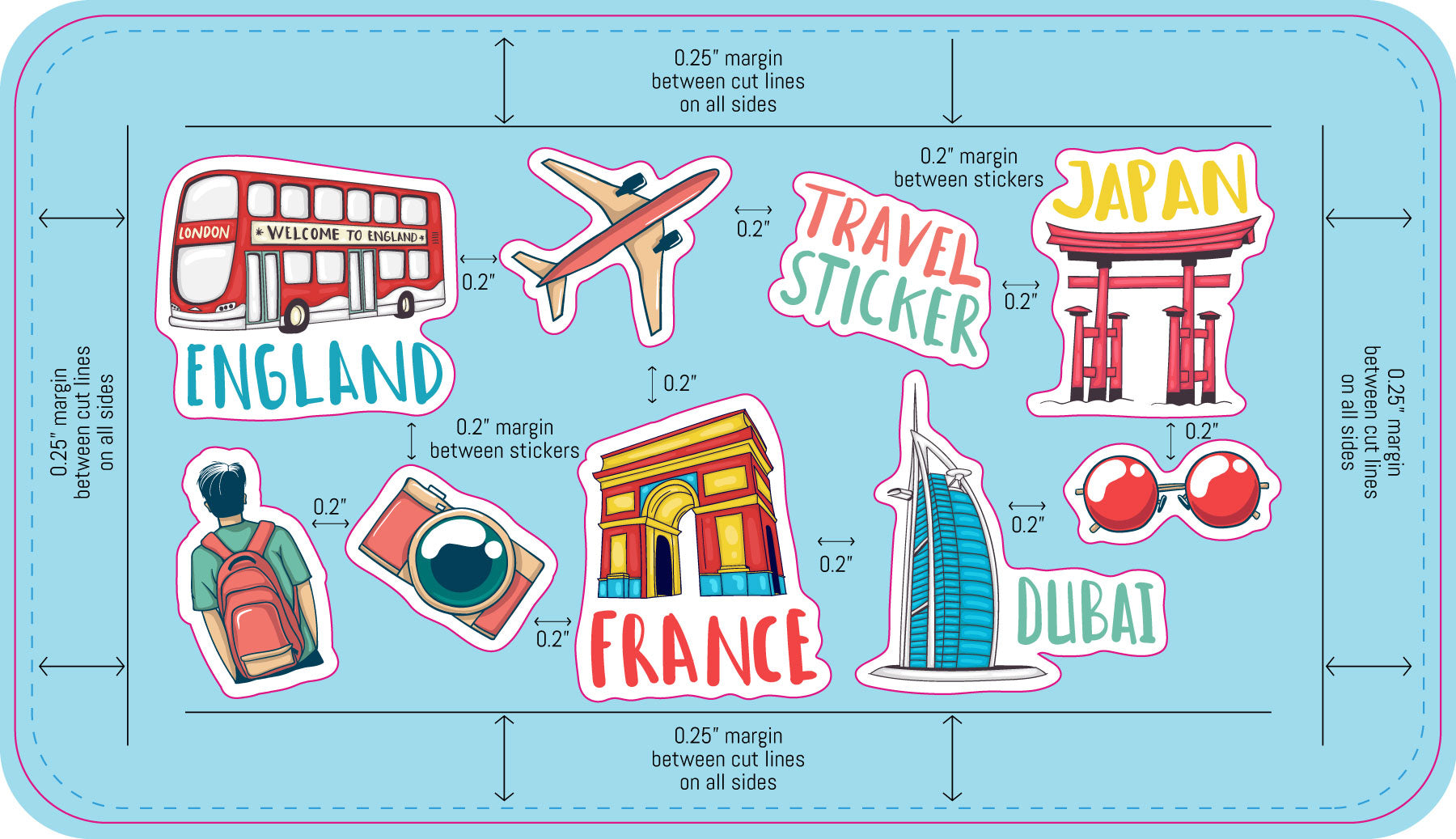
Setting Up Sticker Sheets
Multiple designs and sizes on a single sheet.
Sticker sheets let you print several different designs together on one backing sheet. Our sheet templates come pre-populated with placeholder artwork that you replace with your own files.
Common Mistakes to Avoid
The issues that most often send a file back for revision.
- No bleed on the background – Artwork that stops at the die line leaves white edges when the cut shifts. Extend it a full 0.075 inch past the finished edge.
- Text too close to the edge – Anything outside the safe area can be trimmed off. Pull text and logos at least 0.075 inch inside the die line.
- Low-resolution images – Artwork saved from a website prints soft and pixelated. Work from the original high-resolution file whenever possible.
- Live fonts not outlined – Fonts we don't have installed get substituted. Convert all type to outlines before exporting.
- RGB color mode – Vivid RGB colors can't always be matched in CMYK. Design in CMYK to see accurate colors from the start.
- Die line left in the artwork – The cut line is a guide, not a design element. Remove it or keep it on its own separate layer.
- Wrong template size – Make sure the template you downloaded matches the size you actually ordered.
From File to Finished Print
What happens after you place your order.